Modern applications demand fast startup times, low memory usage, and scalable database access.
This is where Quarkus shines.
Quarkus is designed for cloud-native and reactive applications, offering first-class database integrations that work seamlessly in both imperative and reactive programming models. Whether you're building a traditional REST API or a high-throughput reactive microservice, Quarkus provides flexible data access options that are production-ready out of the box.
In this tutorial, we’ll explore three core ways to integrate databases in Quarkus:
-
Hibernate ORM – for classic JPA-based persistence
-
Reactive SQL – for non-blocking, event-driven database access
-
Panache – for simplified, developer-friendly data models and repositories
By the end of this guide, you’ll know when to use each approach, how they differ, and how to implement them effectively in real-world Quarkus applications.
What You’ll Learn
-
How Quarkus integrates with relational databases
-
Differences between imperative and reactive database access
-
How to configure Hibernate ORM with Quarkus
-
How to use Reactive SQL clients for non-blocking operations
-
How Panache reduces boilerplate and improves productivity
-
Best practices for choosing the right data access strategy
Prerequisites
To follow along, you should have:
-
Basic Java knowledge
-
Familiarity with REST APIs
-
Java 17+ installed
-
Docker (optional, but recommended)
-
A basic understanding of SQL databases (PostgreSQL or MySQL)
Setting Up a Quarkus Project
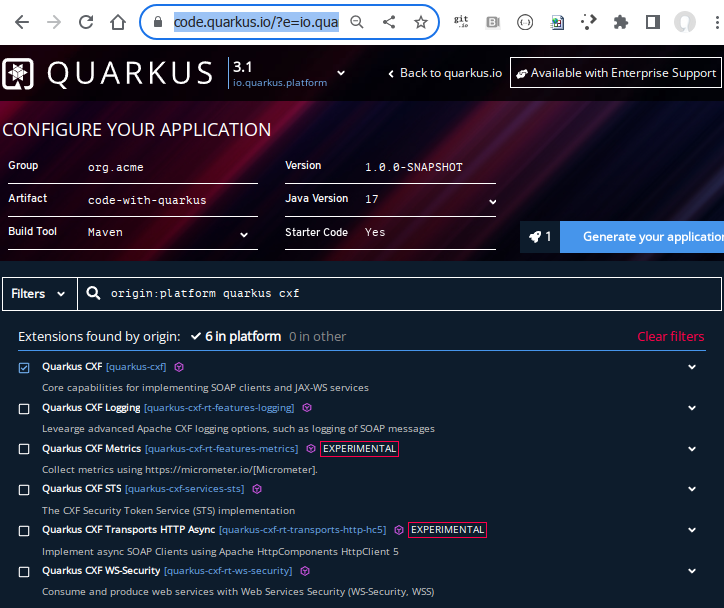
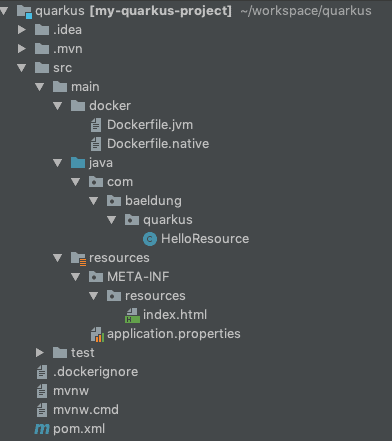
Before we integrate databases using Hibernate ORM, Reactive SQL, and Panache, we need a properly configured Quarkus project. In this section, we’ll create a new Quarkus application, select the required extensions, and understand the project structure Quarkus generates for us.
1. Installing the Quarkus CLI
The easiest way to create and manage Quarkus projects is via the Quarkus CLI.
macOS / Linux
curl -Ls https://sh.quarkus.io/get | bash
Verify installation
quarkus --version
You should see output similar to:
Quarkus CLI 3.x.x
💡 If you prefer not to install the CLI, you can also generate projects using the web-based code.quarkus.io.
2. Creating a New Quarkus Project
We’ll create a new REST-based Quarkus project with database-related extensions.
quarkus create app \
  com.djamware.quarkusdb:quarkus-database-demo \
  --extension="resteasy-reactive,hibernate-orm,hibernate-orm-panache,jdbc-postgresql,reactive-pg-client"
What This Command Does
-
resteasy-reactive– Reactive REST endpoints -
hibernate-orm– JPA-based ORM support -
hibernate-orm-panache– Simplified ORM layer -
jdbc-postgresql– JDBC driver (imperative) -
reactive-pg-client– Reactive PostgreSQL client
This setup allows us to explore both imperative and reactive database access in the same project.
3. Project Structure Overview
After the project is created, navigate into the directory:
cd quarkus-database-demo
You’ll see a structure similar to this:
.
├── pom.xml
├── src
│   ├── main
│   │   ├── java
│   │   │   └── com/djamware/quarkusdb
│   │   │       └── GreetingResource.java
│   │   └── resources
│   │       ├── application.properties
│   │       └── META-INF
│   │           └── resources
│   │               └── index.html
│   └── test
│       └── java
└── mvnw
Key Files Explained
-
pom.xml– Maven dependencies and Quarkus plugins -
application.properties– Central configuration file -
GreetingResource.java– Sample REST endpoint -
src/test– Unit and integration tests
4. Running Quarkus in Dev Mode
One of Quarkus’s most powerful features is dev mode, which enables live reload and Dev Services.
Start the application:
./mvnw quarkus:dev
You should see logs indicating:
-
The application started in milliseconds
-
A development UI URL (usually
http://localhost:8080) -
Dev Services automatically provisions dependencies when needed
Open your browser and visit:
http://localhost:8080
You should see the default Quarkus welcome page.
5. Understanding Dev Services (Important)
Quarkus Dev Services can automatically start a database (like PostgreSQL) using containers—without manual setup.
When a database extension is detected, and no datasource is configured:
-
Quarkus starts a container automatically
-
Connection details are injected at runtime
-
You can focus on coding, not infrastructure
This will become extremely useful in the next sections.
Hibernate ORM in Quarkus (Entities, Configuration & CRUD)
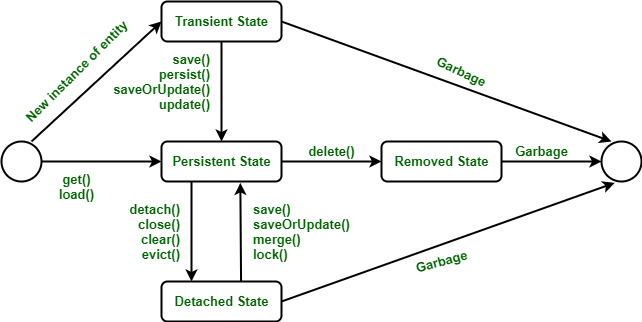
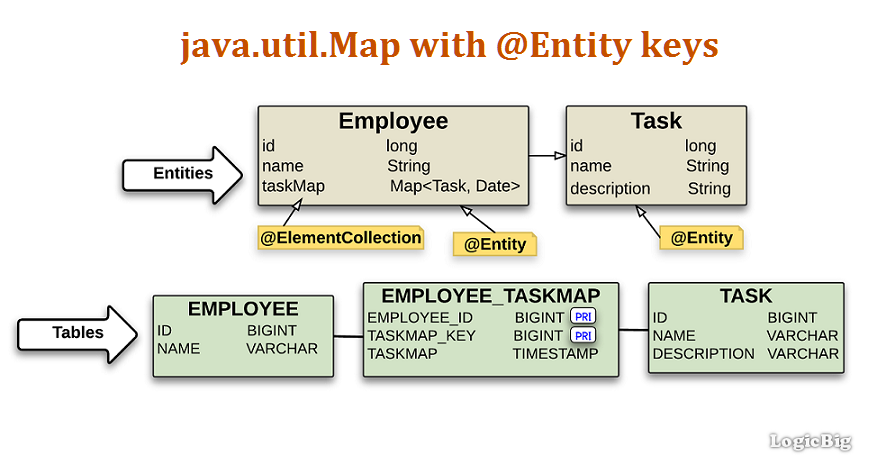
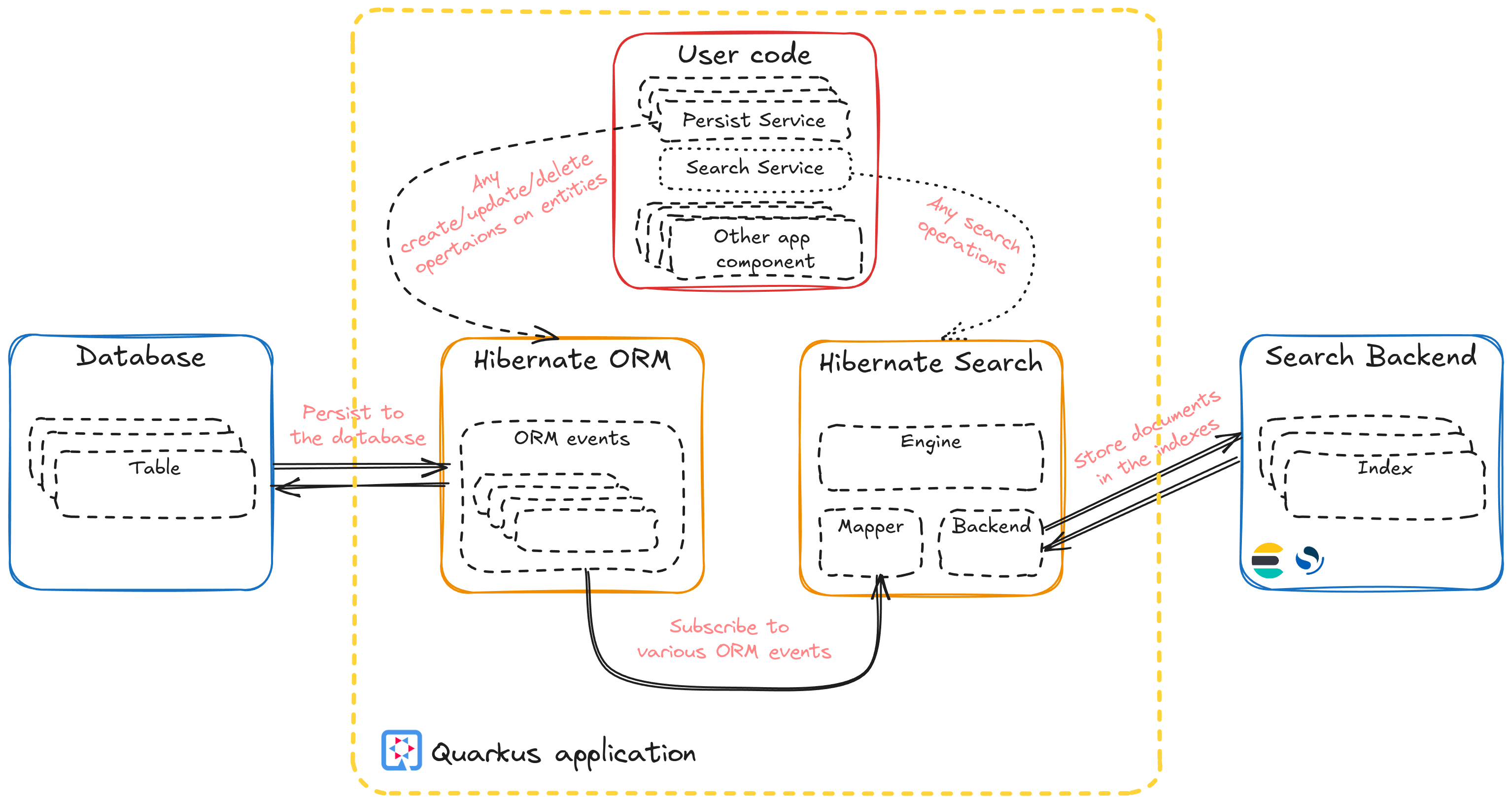
In this section, we’ll use Hibernate ORM in Quarkus to build a classic, imperative persistence layer using JPA. This approach is ideal for most CRUD-based APIs and aligns well with transactional business logic.
1. What Is Hibernate ORM in Quarkus?
Hibernate ORM is the de facto JPA implementation in Java. Quarkus integrates Hibernate ORM deeply to provide:
-
Fast startup and low memory footprint
-
Build-time metadata processing
-
Native image compatibility
-
Seamless Dev Services integration
This makes Hibernate ORM in Quarkus both developer-friendly and production-ready.
2. Configuring the Datasource
Open src/main/resources/application.properties and add the following configuration.
Database Configuration (PostgreSQL)
# Datasource
quarkus.datasource.db-kind=postgresql
quarkus.datasource.username=quarkus
quarkus.datasource.password=quarkus
quarkus.datasource.jdbc.url=jdbc:postgresql://localhost:5432/quarkusdb

# Hibernate ORM
quarkus.hibernate-orm.database.generation=update
quarkus.hibernate-orm.log.sql=true
We’ll use this config in the Sequelize instance next.
psql postgres -U djamware
create database quarkusdb;
\q
You're now ready to set up Sequelize and define models.
Key Properties Explained
-
db-kind– Database type -
jdbc.url– JDBC connection string -
database.generation=update– Automatically updates schema (dev only) -
log.sql=true– Logs SQL statements for debugging
💡 If Dev Services is enabled, you can omit the JDBC URL and credentials—Quarkus will spin up PostgreSQL automatically.
3. Creating a JPA Entity
Let’s create a simple Book entity.
src/main/java/com/djamware/quarkusdb/entity/Book.java
package com.djamware.quarkusdb.entity;

import jakarta.persistence.*;

@Entity
@Table(name = "books")
public class Book {

    @Id
    @GeneratedValue(strategy = GenerationType.IDENTITY)
    public Long id;

    @Column(nullable = false)
    public String title;

    public String author;

    public int year;
}
Why This Works Well in Quarkus
-
Standard JPA annotations
-
No getters/setters needed (optional)
-
Fields can be public for simplicity
-
Optimized at build time by Quarkus
Why This Works Well in Quarkus
-
Standard JPA annotations
-
No getters/setters needed (optional)
-
Fields can be public for simplicity
-
Optimized at build time by Quarkus
4. Creating a Repository with Panache
To avoid boilerplate code, we’ll use Panache on top of Hibernate ORM.
src/main/java/com/djamware/quarkusdb/repository/BookRepository.java
package com.djamware.quarkusdb.repository;

import com.djamware.quarkusdb.entity.Book;
import io.quarkus.hibernate.orm.panache.PanacheRepository;
import jakarta.enterprise.context.ApplicationScoped;

@ApplicationScoped
public class BookRepository implements PanacheRepository<Book> {
}
With this single class, you already get:
-
findAll() -
findById() -
persist() -
deleteById() -
Pagination and sorting support
5. Creating a REST Resource (CRUD API)
Now let’s expose CRUD endpoints using RESTEasy Reactive.
src/main/java/com/djamware/quarkusdb/resource/BookResource.java
package com.djamware.quarkusdb.resource;

import com.djamware.quarkusdb.entity.Book;
import com.djamware.quarkusdb.repository.BookRepository;
import jakarta.transaction.Transactional;
import jakarta.ws.rs.*;
import jakarta.ws.rs.core.MediaType;
import java.util.List;

@Path("/books")
@Produces(MediaType.APPLICATION_JSON)
@Consumes(MediaType.APPLICATION_JSON)
public class BookResource {

    private final BookRepository repository;

    public BookResource(BookRepository repository) {
        this.repository = repository;
    }

    @GET
    public List<Book> list() {
        return repository.findAll().list();
    }

    @POST
    @Transactional
    public Book create(Book book) {
        repository.persist(book);
        return book;
    }

    @GET
    @Path("/{id}")
    public Book get(@PathParam("id") Long id) {
        return repository.findById(id);
    }

    @DELETE
    @Path("/{id}")
    @Transactional
    public void delete(@PathParam("id") Long id) {
        repository.deleteById(id);
    }
}
Important Notes
-
@Transactionalis required for write operations -
RESTEasy Reactive supports imperative logic seamlessly
-
Panache keeps the code minimal and readable
6. Testing the API
Run the app in dev mode:
./mvnw quarkus:dev
Create a Book
curl -X POST http://localhost:8080/books \
  -H "Content-Type: application/json" \
  -d '{"title":"Quarkus in Action","author":"Djamware","year":2025}'
List Books
curl http://localhost:8080/books
7. When to Use Hibernate ORM (Imperative)
Hibernate ORM is ideal when:
-
Your app is transaction-heavy
-
You prefer synchronous, imperative logic
-
You’re migrating from Spring Boot or Java EE
-
Simplicity and maintainability matter more than extreme throughput
Reactive SQL with Quarkus (Non-Blocking Data Access)
In the previous section, we used Hibernate ORM with an imperative (blocking) programming model. In this section, we’ll switch to reactive SQL in Quarkus, enabling non-blocking, event-driven database access that scales efficiently under high concurrency.
1. What Is Reactive SQL?
Reactive SQL in Quarkus is built on reactive database drivers and the event loop model. Instead of blocking threads while waiting for database responses, reactive applications:
-
Use a small number of event-loop threads
-
Process I/O asynchronously
-
Scale better with fewer system resources
Quarkus provides reactive clients powered by Vert.x, making reactive SQL a natural fit.
2. When Should You Use Reactive SQL?
Reactive SQL is best suited for:
-
High-throughput APIs
-
Applications handling thousands of concurrent connections
-
Event-driven or streaming systems
-
Microservices that need optimal resource usage
⚠️ Reactive code adds complexity. For simple CRUD apps, imperative Hibernate ORM is often enough.
3. Configuring Reactive PostgreSQL
Open application.properties and add the reactive datasource configuration.
# Reactive datasource
quarkus.datasource.db-kind=postgresql
quarkus.datasource.reactive.url=postgresql://localhost:5432/quarkusdb
quarkus.datasource.username=quarkus
quarkus.datasource.password=quarkus
💡 If Dev Services is enabled, Quarkus can automatically start PostgreSQL without explicit configuration.
4. Using the Reactive SQL Client
Instead of JPA entities, reactive SQL works with RowSets and SQL queries.
Injecting the Reactive Client
import io.vertx.mutiny.sqlclient.SqlClient;
import jakarta.enterprise.context.ApplicationScoped;

@ApplicationScoped
public class BookReactiveRepository {

    private final SqlClient client;

    public BookReactiveRepository(SqlClient client) {
        this.client = client;
    }
}
Here, PgPool is a non-blocking PostgreSQL connection pool.
5. Performing Reactive CRUD Operations
Create (INSERT)
import io.smallrye.mutiny.Uni;

    public Uni<Long> create(Book book) {
        return client
                .preparedQuery(
                        "INSERT INTO books (title, author, year) VALUES ($1, $2, $3) RETURNING id")
                .execute(
                        io.vertx.mutiny.sqlclient.Tuple.of(
                                book.title,
                                book.author,
                                book.year))
                .onItem().transform(rows -> rows.iterator().next().getLong("id"));
    }
Read (SELECT)
import java.util.List;

    public Uni<List<Book>> findAll() {
        return client
                .query("SELECT id, title, author, year FROM books")
                .execute()
                .onItem().transform(rows -> rows.stream()
                        .map(row -> {
                            Book b = new Book();
                            b.id = row.getLong("id");
                            b.title = row.getString("title");
                            b.author = row.getString("author");
                            b.year = row.getInteger("year");
                            return b;
                        })
                        .toList());
    }
Delete
    public Uni<Boolean> delete(Long id) {
        return client
                .preparedQuery("DELETE FROM books WHERE id = $1")
                .execute(io.vertx.mutiny.sqlclient.Tuple.of(id))
                .onItem().transform(res -> true);
    }
6. Exposing a Reactive REST Endpoint
Reactive repositories should return Mutiny types (Uni or Multi).
import io.smallrye.mutiny.Uni;
import jakarta.ws.rs.*;
import jakarta.ws.rs.core.MediaType;
import java.util.List;

@Path("/reactive/books")
@Produces(MediaType.APPLICATION_JSON)
@Consumes(MediaType.APPLICATION_JSON)
public class BookReactiveResource {

    private final BookReactiveRepository repository;

    public BookReactiveResource(BookReactiveRepository repository) {
        this.repository = repository;
    }

    @GET
    public Uni<List<Book>> list() {
        return repository.findAll();
    }
}
Quarkus automatically integrates reactive endpoints with the event loop.
7. Transactions in Reactive SQL
Reactive SQL does not use @Transactional.
Instead, transactions are handled explicitly:
return client.withTransaction(conn ->
    conn
      .query("INSERT INTO books (title) VALUES ('Reactive Book')")
      .execute()
);
This keeps control explicit and avoids blocking operations.
8. Imperative vs Reactive — Quick Comparison
| Feature | Hibernate ORM | Reactive SQL |
|---|---|---|
| Programming model | Blocking | Non-blocking |
| Complexity | Low | Medium–High |
| Scalability | Good | Excellent |
| Transactions | @Transactional |
Explicit |
| Best for | CRUD apps | High concurrency |
9. Key Takeaways
-
Reactive SQL maximizes scalability and resource efficiency
-
It requires a different mindset (event-driven, async)
-
Not a drop-in replacement for JPA
-
Perfect for APIs with heavy concurrent load
Panache & Reactive Panache
Cleaner Data Access with Less Boilerplate


After working with Hibernate ORM and raw Reactive SQL, you’ve probably noticed two extremes:
-
Hibernate ORM is productive, but still requires repositories and transactions
-
Reactive SQL is powerful, but verbose and easy to misuse
This is exactly where Panache and Reactive Panache shine in Quarkus—they provide a clean, expressive API while remaining performant and production-ready.
1. What Is Panache?
Panache is Quarkus’s data access layer built on top of Hibernate.
It focuses on:
-
Reducing boilerplate
-
Improving readability
-
Making entities and repositories simpler
Panache supports two programming models:
| Model | Description |
|---|---|
| Active Record | Logic lives inside the entity |
| Repository | Logic lives in a separate repository class |
Both styles are supported for imperative and reactive persistence.
2. Imperative Panache (Hibernate ORM)
Option A: Active Record Pattern
Entity Example
package com.djamware.quarkusdb.entity;

import io.quarkus.hibernate.orm.panache.PanacheEntity;
import jakarta.persistence.Entity;

@Entity
public class Book extends PanacheEntity {

    public String title;
    public String author;
    public int year;

    public static Book findByTitle(String title) {
        return find("title", title).firstResult();
    }
}
✔ No @Id needed
✔ Built-in CRUD methods
✔ Extremely readable
Using the Entity in a Resource
@Path("/panache/books")
@Produces(MediaType.APPLICATION_JSON)
@Consumes(MediaType.APPLICATION_JSON)
public class BookPanacheResource {

    @GET
    public List<Book> list() {
        return Book.listAll();
    }

    @POST
    @Transactional
    public Book create(Book book) {
        book.persist();
        return book;
    }
}
Option B: Repository Pattern
@ApplicationScoped
public class BookRepository implements PanacheRepository<Book> {

    public List<Book> findByAuthor(String author) {
        return find("author", author).list();
    }
}
✔ Cleaner separation of concerns
✔ Better for large teams and complex domains
3. When to Choose Imperative Panache
Imperative Panache is ideal when:
-
Your app is mostly CRUD-based
-
You prefer synchronous logic
-
You use
@Transactional -
You want maximum simplicity
This is the most common choice for Quarkus applications.
4. Reactive Panache (Hibernate Reactive)
Reactive Panache combines:
-
Hibernate Reactive
-
Mutiny (
Uni/Multi) -
Non-blocking I/O
All database operations are fully reactive.
Install the required dependencies.
quarkus extension add quarkus-hibernate-reactive-panacheReactive Entity Example
package com.djamware.quarkusdb.entity;

import io.quarkus.hibernate.reactive.panache.PanacheEntity;
import jakarta.persistence.Entity;
import io.smallrye.mutiny.Uni;

@Entity
public class Book extends PanacheEntity {

    public String title;
    public String author;
    public int year;

    public static Uni<Book> findByTitle(String title) {
        return find("title", title).firstResult();
    }
}
Reactive Resource Example
@Path("/reactive-panache/books")
@Produces(MediaType.APPLICATION_JSON)
@Consumes(MediaType.APPLICATION_JSON)
public class BookReactivePanacheResource {

    @GET
    public Uni<List<Book>> list() {
        return Book.listAll();
    }

    @POST
    public Uni<Book> create(Book book) {
        return book.persistAndFlush()
                   .replaceWith(book);
    }
}
✔ No @Transactional
✔ No blocking
✔ Event-loop safe
5. Imperative Panache vs Reactive Panache
| Feature | Panache | Reactive Panache |
|---|---|---|
| Programming model | Blocking | Non-blocking |
| API return types | List, Entity |
Uni, Multi |
| Transactions | @Transactional |
Implicit reactive |
| Complexity | Low | Medium |
| Scalability | Good | Excellent |
6. Common Pitfalls (Important)
❌ Mixing Hibernate ORM with Reactive Panache
❌ Blocking inside reactive flows
❌ Using @Transactional in reactive endpoints
❌ Calling .await().indefinitely() in REST resources
✔ Choose one model per resource
✔ Keep imperative and reactive code separated
7. Best Practices Summary
-
Default to Imperative Panache
-
Use Reactive Panache only when scalability demands it
-
Prefer the Repository Pattern for larger projects
-
Keep entities simple and focused
-
Avoid premature optimization
Hibernate ORM vs Reactive SQL vs Panache
Choosing the Right Tool in Quarkus

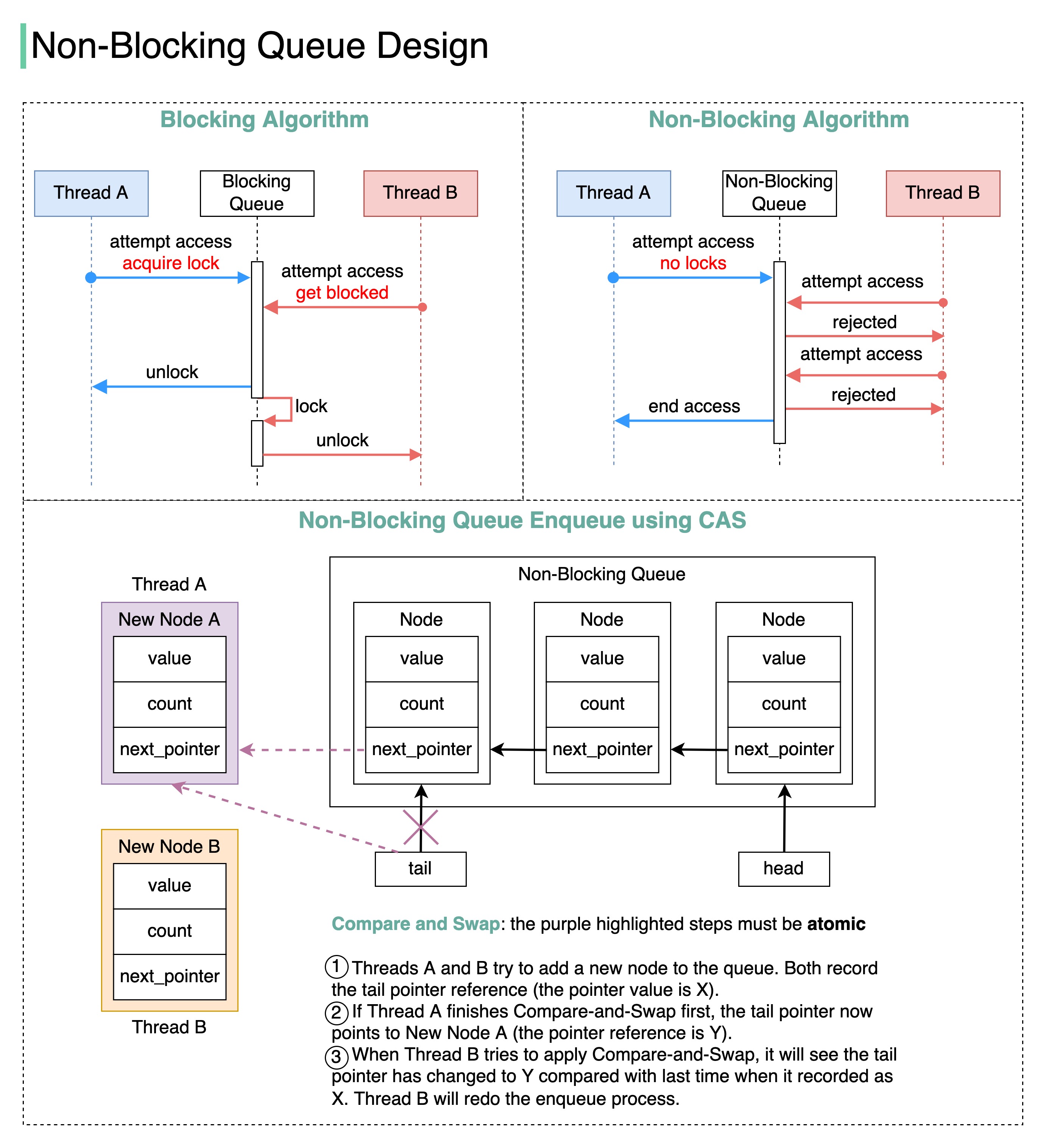

By now, you’ve seen three different ways to work with databases in Quarkus. Each approach solves a different problem, and choosing the right one is critical for performance, maintainability, and developer productivity.
This section helps you decide which tool to use—and when.
1. The Three Data Access Approaches Recap
1️⃣ Hibernate ORM (Imperative JPA)
Built on Hibernate ORM, this is the traditional, blocking model most Java developers know.
Key traits:
-
JPA entities and repositories
-
Uses JDBC
-
Requires
@Transactional -
Simple mental model
2️⃣ Reactive SQL (Low-Level, Non-Blocking)
Uses reactive drivers powered by Vert.x.
Key traits:
-
Non-blocking SQL queries
-
Explicit SQL
-
Mutiny (
Uni/Multi) -
High scalability, more code
3️⃣ Panache (Imperative & Reactive)
Panache sits on top of Hibernate to dramatically reduce boilerplate.
Two flavors:
-
Imperative Panache → Hibernate ORM
-
Reactive Panache → Hibernate Reactive
2. Feature Comparison Table
| Feature | Hibernate ORM | Reactive SQL | Panache |
|---|---|---|---|
| Programming model | Blocking | Non-blocking | Both |
| Boilerplate | Medium | High | Low |
| SQL control | Medium | Full | Low–Medium |
| Transactions | @Transactional |
Explicit | Automatic |
| Learning curve | Low | High | Very Low |
| Native image support | Excellent | Excellent | Excellent |
3. Performance & Scalability Considerations
Hibernate ORM
-
Scales well for most business apps
-
Thread-per-request model
-
Perfect with virtual threads
-
Easiest to reason about
Reactive SQL
-
Maximum throughput under heavy load
-
Minimal thread usage
-
Ideal for I/O-heavy workloads
-
Requires a reactive mindset
Panache
-
Same performance as the underlying stack
-
Faster development
-
Less error-prone
-
Cleaner codebase
4. Common Architecture Choices
🟢 Typical REST API (CRUD)
✅ Imperative Panache
-
Fast to build
-
Easy to maintain
-
Clean code
-
Minimal complexity
🟡 High-Concurrency Microservices
✅ Reactive SQL or Reactive Panache
-
Thousands of concurrent users
-
Event-driven workloads
-
Streaming or real-time APIs
🔵 Large Domain-Driven Systems
✅ Hibernate ORM + Panache Repository
-
Clear separation of concerns
-
Rich domain models
-
Transaction-heavy logic
5. Decision Matrix (Practical)
Ask yourself these questions:
| Question | Recommendation |
|---|---|
| Do I need extreme scalability? | Reactive SQL |
| Do I want clean, simple CRUD? | Panache |
| Am I migrating from Spring Boot? | Hibernate ORM / Panache |
| Do I want full SQL control? | Reactive SQL |
| Do I value productivity over micro-optimizations? | Panache |
6. Important Rules (Don’ts)
❌ Don’t mix ORM and Reactive in the same entity
❌ Don’t block in reactive code
❌ Don’t use @Transactional in reactive endpoints
❌ Don’t prematurely optimize
✔ Keep one model per resource
✔ Optimize only when necessary
7. Recommended Default (Opinionated but Practical)
For 90% of applications:
🏆 Use Imperative Panache
It delivers:
-
Excellent performance
-
Minimal code
-
Easy debugging
-
Smooth native image support
Switch to reactive only when metrics justify it.
Configuration Best Practices
Profiles, Datasources & Migrations

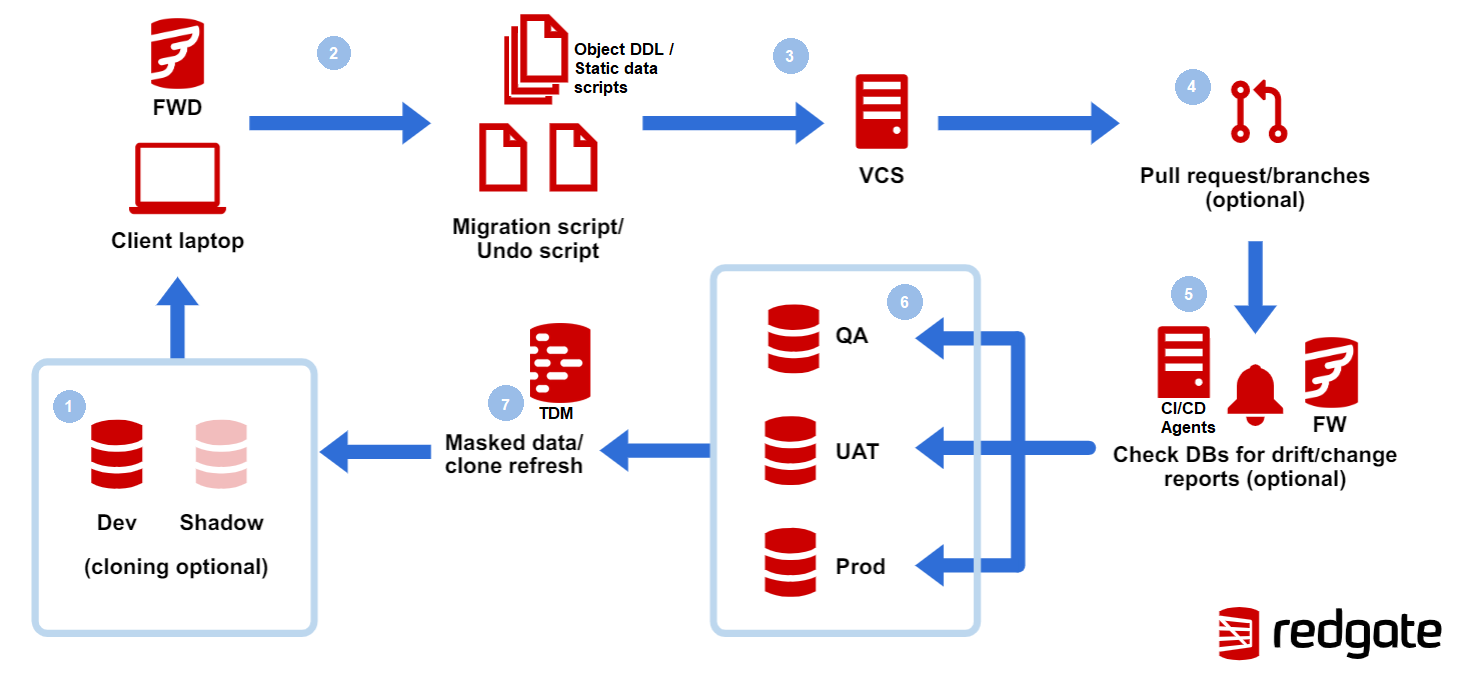
A clean configuration strategy is essential for running Quarkus applications reliably across development, testing, and production. In this section, we’ll cover profiles, datasource configuration, and database migrations, with practical, production-ready examples.
1. Using Quarkus Configuration Profiles
Quarkus supports profile-based configuration out of the box.
Common Profiles
-
dev– local development -
test– automated tests -
prod– production
Profiles are applied using the %<profile>. prefix.
Example: Profile-Specific Datasource
# Default (dev)
quarkus.datasource.db-kind=postgresql
quarkus.hibernate-orm.database.generation=update
quarkus.hibernate-orm.log.sql=true

# Production
%prod.quarkus.hibernate-orm.database.generation=none
%prod.quarkus.hibernate-orm.log.sql=false
✔ No environment-specific files
✔ Clear and centralized
✔ Easy to override
2. Managing Datasource Configuration
Imperative (JDBC) Datasource
quarkus.datasource.db-kind=postgresql
quarkus.datasource.jdbc.url=jdbc:postgresql://localhost:5432/quarkusdb
quarkus.datasource.username=quarkus
quarkus.datasource.password=quarkus
Reactive Datasource
quarkus.datasource.reactive.url=postgresql://localhost:5432/quarkusdb
quarkus.datasource.username=quarkus
quarkus.datasource.password=quarkus
⚠️ JDBC and Reactive datasources can coexist, but must be used in separate code paths.
3. Using Environment Variables (Production-Ready)
Quarkus automatically maps environment variables.
quarkus.datasource.jdbc.url=${DB_URL}
quarkus.datasource.username=${DB_USER}
quarkus.datasource.password=${DB_PASSWORD}
Example deployment:
export DB_URL=jdbc:postgresql://db:5432/prod
export DB_USER=prod_user
export DB_PASSWORD=secret
✔ Secure
✔ Container-friendly
✔ 12-factor compliant
4. Dev Services (Local & Test)
Quarkus Dev Services can automatically start a database container.
# Enable (default)
quarkus.datasource.devservices.enabled=true
Benefits:
-
No manual DB setup
-
Automatic credentials
-
Fast onboarding
Dev Services are disabled in production by default.
5. Database Migrations with Flyway
Schema auto-generation is great for development, but NOT for production.
Use Flyway for versioned migrations.
Add Flyway Extension
quarkus extension add quarkus-flyway
Flyway Configuration
src/main/resources/db/migration
└── V1__create_books_table.sql
Migration File Structure
CREATE TABLE books (
  id SERIAL PRIMARY KEY,
  title VARCHAR(255) NOT NULL,
  author VARCHAR(255),
  year INT
);
✔ Version-controlled
✔ Repeatable
✔ Safe for production
6. Hibernate ORM + Flyway (Best Practice)
# Disable schema generation
%prod.quarkus.hibernate-orm.database.generation=none
%dev.quarkus.hibernate-orm.database.generation=update
Rule:
Hibernate manages entities, Flyway manages schema
7. Multiple Datasources (Advanced)
Quarkus supports named datasources:
quarkus.datasource."users".db-kind=postgresql
quarkus.datasource."orders".db-kind=postgresql
Use cases:
-
Legacy DB + new DB
-
Read/write separation
-
Multi-tenant systems
8. Configuration Best Practices Checklist
✔ Use profiles for env-specific behavior
✔ Never use database.generation=update in prod
✔ Prefer Flyway/Liquibase for migrations
✔ Use environment variables for secrets
✔ Keep reactive and imperative data sources separate
Testing Database Layers
Dev Services, Testcontainers & Profiles

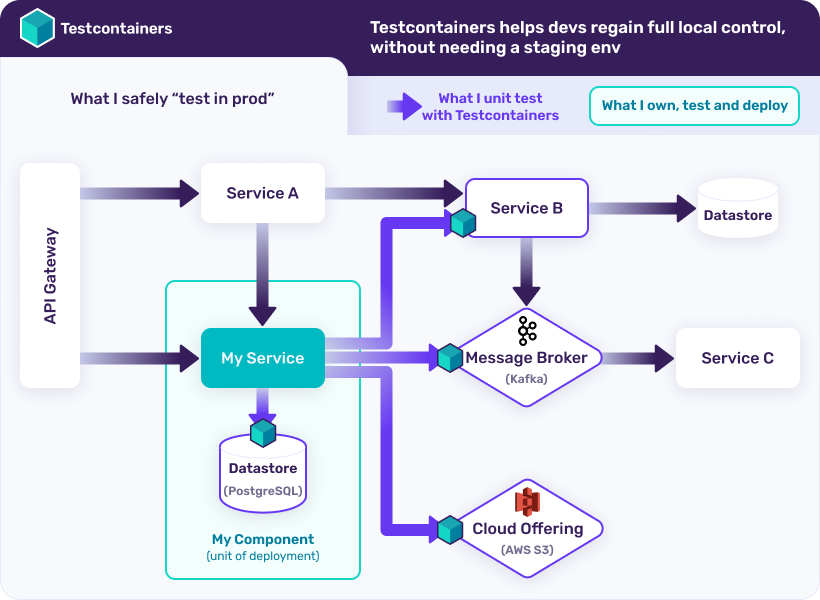
Testing database interactions is critical to ensure correctness, performance, and confidence when deploying Quarkus applications. Quarkus makes this easier by combining Dev Services, test profiles, and container-based testing.
In this section, we’ll cover practical, production-grade testing strategies for imperative and reactive database layers.
1. Testing with Quarkus Dev Services
Dev Services automatically provisions a database during tests, just like in dev mode.
How It Works
-
When a datasource is detected
-
And no explicit DB config is provided
-
Quarkus spins up a container automatically
No Docker Compose. No manual setup.
Minimal Test Configuration
# src/test/resources/application.properties
quarkus.datasource.devservices.enabled=true
Now write tests without worrying about database setup.
2. Writing a Simple ORM Integration Test
Example: Testing Panache Repository
package com.djamware.quarkusdb;

import static org.junit.jupiter.api.Assertions.assertEquals;
import org.junit.jupiter.api.Test;

import com.djamware.quarkusdb.entity.Book;
import com.djamware.quarkusdb.repository.BookRepository;

import io.quarkus.test.junit.QuarkusTest;
import jakarta.inject.Inject;

@QuarkusTest
class BookRepositoryTest {

    @Inject
    BookRepository repository;

    @Test
    void shouldPersistAndFindBook() {
        Book book = new Book();
        book.title = "Testing Quarkus";
        book.author = "Djamware";
        book.year = 2025;

        repository.persist(book);

        assertEquals(1, repository.count());
    }
}
✔ Uses real database
✔ Runs fast
✔ Zero configuration
3. Using Test Profiles
Quarkus supports test profiles to customize configuration per test scenario.
Creating a Test Profile
import io.quarkus.test.junit.QuarkusTestProfile;
import java.util.Map;

public class NoMigrationProfile implements QuarkusTestProfile {

    @Override
    public Map<String, String> getConfigOverrides() {
        return Map.of(
            "quarkus.flyway.migrate-at-start", "false"
        );
    }
}
Applying the Profile
@QuarkusTest
@TestProfile(NoMigrationProfile.class)
class BookNoMigrationTest {
}
Perfect for testing edge cases and failure scenarios.
4. Reactive Repository Testing
Reactive Panache and Reactive SQL tests look similar but use Mutiny assertions.
Example: Reactive Panache Test
import io.quarkus.test.junit.QuarkusTest;
import io.smallrye.mutiny.Uni;
import org.junit.jupiter.api.Test;

@QuarkusTest
class BookReactiveTest {

    @Test
    void shouldPersistReactively() {
        Book book = new Book();
        book.title = "Reactive Testing";

        Uni<Book> uni = book.persistAndFlush()
                            .replaceWith(book);

        Book result = uni.await().indefinitely();
        assertNotNull(result.id);
    }
}
⚠️ Blocking with
await()is allowed in tests, but never in production code.
5. Using Testcontainers Explicitly
For more control, use Testcontainers.
Add Dependency
<dependency>
  <groupId>org.testcontainers</groupId>
  <artifactId>postgresql</artifactId>
  <scope>test</scope>
</dependency>
Testcontainers-Based Test
import org.testcontainers.containers.PostgreSQLContainer;
import io.quarkus.test.common.QuarkusTestResource;

public class PostgresTestResource
    implements QuarkusTestResourceLifecycleManager {

    static PostgreSQLContainer<?> postgres =
        new PostgreSQLContainer<>("postgres:16");

    @Override
    public Map<String, String> start() {
        postgres.start();
        return Map.of(
            "quarkus.datasource.jdbc.url", postgres.getJdbcUrl(),
            "quarkus.datasource.username", postgres.getUsername(),
            "quarkus.datasource.password", postgres.getPassword()
        );
    }

    @Override
    public void stop() {
        postgres.stop();
    }
}
Use this when:
-
You need a specific DB version
-
You want full control over startup
-
CI environments require predictability
6. Testing Reactive SQL (SqlClient)
@QuarkusTest
class ReactiveSqlTest {

    @Inject
    BookReactiveRepository repository;

    @Test
    void shouldQueryReactively() {
        var books = repository.findAll()
                               .await().indefinitely();

        assertNotNull(books);
    }
}
✔ Fully reactive
✔ Safe to block in tests
✔ Real database
7. Dev Services vs Testcontainers
| Feature | Dev Services | Testcontainers |
|---|---|---|
| Setup | Automatic | Manual |
| Speed | Faster | Slightly slower |
| Control | Limited | Full |
| CI-friendly | Yes | Yes |
| Best for | Most tests | Advanced scenarios |
Recommendation:
Start with Dev Services, switch to Testcontainers only when needed.
8. Testing Best Practices Checklist
✔ Use real databases (not mocks)
✔ Use Dev Services by default
✔ Block only inside tests
✔ Separate test profiles clearly
✔ Test imperative and reactive layers independently
Performance & Scaling Tips
Connection Pools, Native Images & Virtual Threads
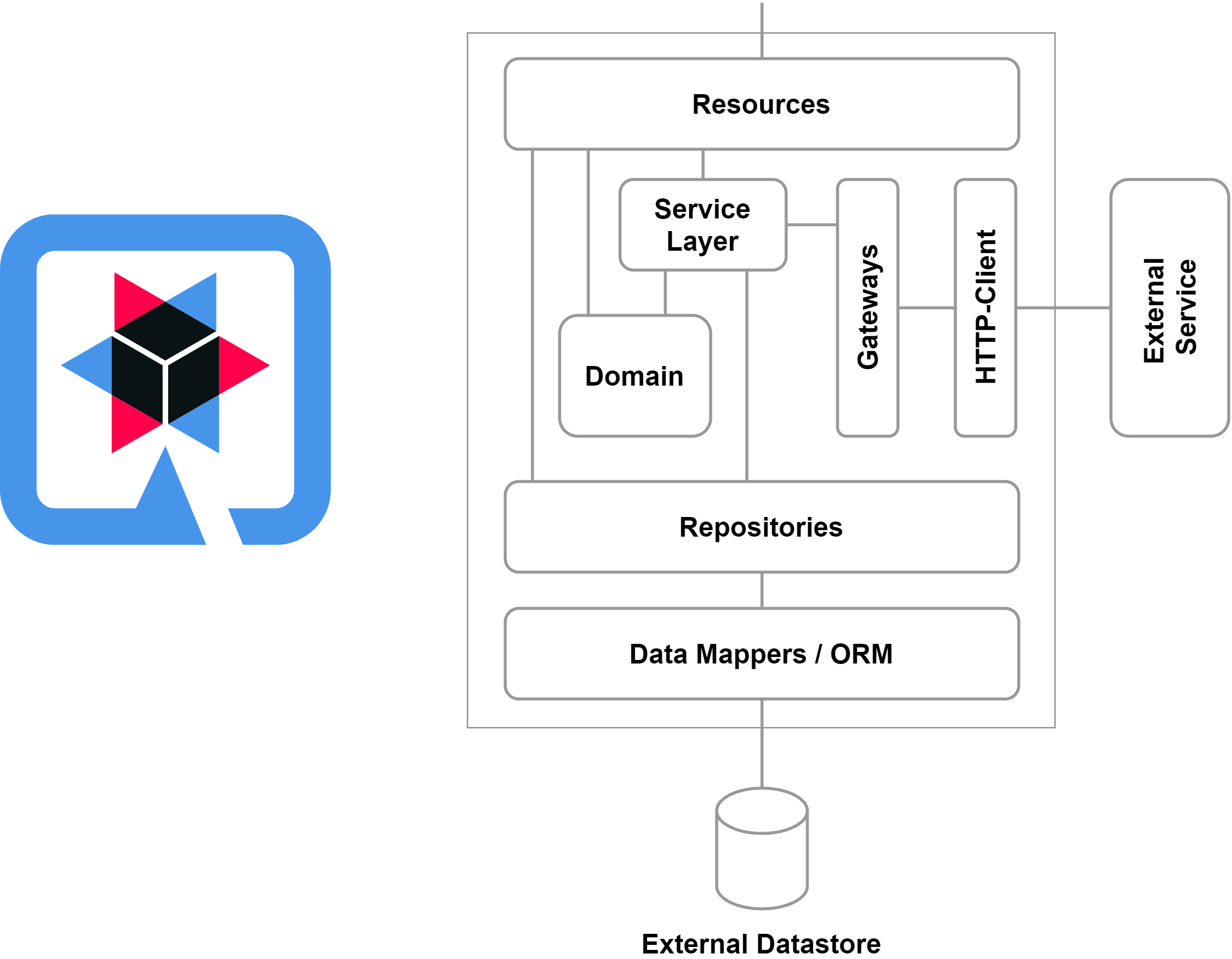


Quarkus is built for performance-first, cloud-native workloads, but real-world scalability still depends on how you configure and run your application. In this section, we’ll cover practical, high-impact tuning tips for Quarkus applications using databases.
1. Connection Pool Tuning (JDBC & Reactive)
JDBC Connection Pool (Agroal)
Quarkus uses Agroal for JDBC connections.
# JDBC pool
quarkus.datasource.jdbc.min-size=5
quarkus.datasource.jdbc.max-size=20
quarkus.datasource.jdbc.acquisition-timeout=5S
Tips:
-
Avoid large pools (DBs scale poorly with too many connections)
-
Match pool size to CPU cores and DB limits
-
Monitor pool exhaustion
Reactive Connection Pool
# Reactive pool
quarkus.datasource.reactive.max-size=20
Tips:
-
Reactive apps need fewer connections
-
Start small (5–10) and scale gradually
-
Prefer reactive SQL for high concurrency
2. Choosing the Right Concurrency Model
Quarkus supports three concurrency styles:
| Model | Best for |
|---|---|
| Platform threads | Legacy blocking code |
| Virtual threads | Blocking I/O with massive concurrency |
| Event loop (reactive) | Non-blocking, ultra-scalable |
Virtual Threads with Quarkus
With Java 21+, you can enable virtual threads:
quarkus.virtual-threads.enabled=true
When to use virtual threads:
-
JDBC + Hibernate ORM
-
Blocking libraries
-
Migrating legacy apps
When NOT to use them:
-
Reactive SQL
-
Event-loop-based endpoints
💡 Virtual threads + Hibernate ORM = powerful and simple scalability
3. Native Images (GraalVM)
Quarkus is optimized for native compilation using GraalVM.
Benefits
-
Near-instant startup
-
Lower memory usage
-
Ideal for serverless and Kubernetes
Building a Native Image
./mvnw package -Pnative
Or using Docker:
./mvnw package -Pnative -Dquarkus.native.container-build=true
Native Image Tips
✔ Avoid reflection-heavy libraries
✔ Use build-time configuration
✔ Prefer Panache over custom reflection
✔ Test native mode early
4. Hibernate ORM Performance Tips
-
Use lazy loading wisely
-
Avoid
N+1queries -
Use projections for read-heavy queries
-
Enable batching:
quarkus.hibernate-orm.jdbc.statement-batch-size=20
5. Reactive Performance Tips
-
Never block the event loop
-
Use
Unichaining instead of nested callbacks -
Keep SQL simple
-
Measure before optimizing
6. Observability & Metrics
Enable metrics to monitor performance:
quarkus.micrometer.enabled=true
Integrate with:
-
Prometheus
-
Grafana
-
OpenTelemetry
Metrics to watch:
-
DB connection usage
-
Response latency
-
Error rates
7. Scaling in Kubernetes
-
Scale horizontally (more pods)
-
Limit DB connections per pod
-
Use readiness/liveness probes
-
Prefer stateless services
8. Performance Best Practices Checklist
✔ Tune connection pools
✔ Use virtual threads for blocking code
✔ Choose reactive only when needed
✔ Build native images for fast startup
✔ Monitor before scaling
Conclusion & Next Steps
What to Use in Real Projects

You’ve now explored all major database integration options in Quarkus—from classic JPA to fully reactive data access. Let’s wrap everything up with clear recommendations, real-world guidance, and practical next steps you can apply immediately.
1. What You’ve Learned
In this tutorial, you covered:
-
Hibernate ORM for traditional, transactional persistence
-
Reactive SQL for non-blocking, high-throughput workloads
-
Panache & Reactive Panache for cleaner, more expressive data access
-
Profile-based configuration and environment separation
-
Database migrations with Flyway
-
Testing strategies using Dev Services and Testcontainers
-
Performance tuning with connection pools, native images, and virtual threads
This gives you a complete mental model of how Quarkus works with databases in modern Java applications.
2. Opinionated Recommendations (Based on Real Projects)
🏆 Default Choice: Imperative Panache
For most production systems, start with:
Hibernate ORM + Panache (Imperative)
Why?
-
Clean, minimal code
-
Excellent performance
-
Easy debugging
-
Seamless native image support
-
Works perfectly with virtual threads
This stack covers ~90% of backend use cases.
⚡ When to Use Reactive SQL
Choose Reactive SQL only when:
-
You have very high concurrency
-
You’re building event-driven or streaming APIs
-
Thread usage is your main bottleneck
-
Your team is comfortable with reactive programming
If you don’t have these constraints, reactive SQL is usually overkill.
🚀 When to Use Reactive Panache
Reactive Panache is ideal when:
-
You need reactive scalability
-
You still want ORM-like productivity
-
You want less SQL boilerplate than raw reactive clients
Use it deliberately, not by default.
3. A Simple Decision Guide
| Scenario | Recommended Stack |
|---|---|
| CRUD REST API | Imperative Panache |
| Legacy Spring Boot migration | Hibernate ORM + Panache |
| High-traffic microservice | Reactive SQL |
| Reactive + ORM productivity | Reactive Panache |
| Serverless/fast startup | Panache + Native Image |
4. Common Mistakes to Avoid
❌ Mixing imperative and reactive models
❌ Using database.generation=update in production
❌ Blocking inside reactive code
❌ Premature performance optimization
❌ Over-engineering simple CRUD services
✔ Keep architecture simple
✔ Measure before optimizing
✔ Scale only when needed
5. Production-Ready Checklist
Before going live, ensure:
-
✔ Flyway or Liquibase enabled
-
✔ Profiles configured (
dev,test,prod) -
✔ Secrets via environment variables
-
✔ Connection pools tuned
-
✔ Metrics and health checks enabled
-
✔ Native image tested (if applicable)
6. Where to Go Next
To deepen your Quarkus expertise, explore:
-
Security with OIDC & JWT
-
Multi-tenancy with Hibernate
-
Messaging with Kafka & Reactive Messaging
-
REST vs GraphQL in Quarkus
-
Observability with OpenTelemetry
These build naturally on the database foundations you’ve just learned.
Final Thoughts
Quarkus gives Java developers a choice without complexity.
You can start simple, scale confidently, and adopt reactive patterns only when they truly add value.
If you build real projects this way, your applications will be:
-
Faster
-
Cleaner
-
Easier to maintain
-
Ready for cloud-native environments
You can find the full source code on our GitHub.
That's just the basics. If you need more deep learning about Quarkus and Microservices, you can take the following cheap course:
- Cloud-native Microservices with Quarkus
- Building Microservices with Quarkus
- (2025) Quarkus for beginners, everything you need to know.
- Accessing Relational Databases with Quarkus
- Learn Vert.x - Reactive microservices with Java
- Quarkus - Simple REST API and Unit Tests with JUnit 5
- The complete guide to running Java in Docker and Kubernetes
- The Complete Microservices With Java
Thanks!